Free & open source · macOS 13+

Always know which Space you're on.

SpacePill turns your current macOS Space into a colour-coded, named pill in the menu bar — and gives every desktop a name, a colour, a notes pad, and a hotkey that jumps straight to it.

Green is Docs. Red is Code. Your brain learns the layout — no reading required.

$ curl -fsSL https://spacepill.dev/install.sh | sh

Or download the DMG from the latest release and drag it to Applications.

Signed & notarized No network access Zero dependencies MIT licensed

Fourteen seconds of it

Type a name. Land on the Space.

Six desktops that all look identical become Inbox, Email, Code, Docs, Review — each with its own colour. Fuzzy-type three letters and you're there.

The pill updates the moment the switch animation starts — not after it finishes.

What it does

One pill, three hotkeys, zero swiping.

Built for people who run a lot of Spaces — say, one coding agent per desktop — and got tired of losing track of which one was which.

A pill that never lies

Your current Space sits in the menu bar as a bold pill with its number, its name, and its colour. It updates optimistically — the instant you start switching, not half a second later when macOS finishes the animation.

Give each Space a colour and the glance becomes subconscious: green is Docs, red is Code. Labels stick to the Space itself, so they survive reordering in Mission Control.
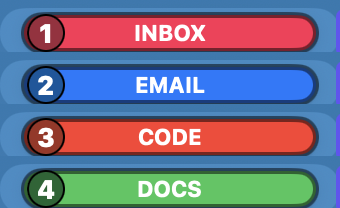
Four SpacePill pills stacked: a crimson Inbox, a blue Email, a red Code, and a green Docs, each with its Space number in a dark circle

J

Jump by name, not by number

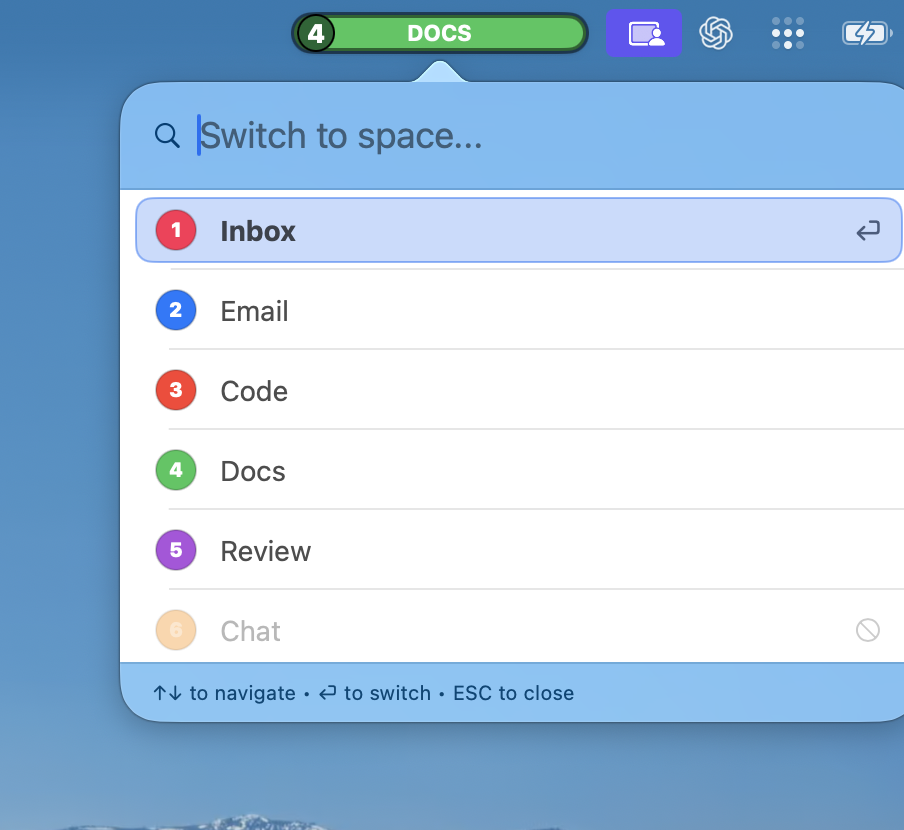
Quick Switch drops down from the pill and fuzzy-matches as you type: dcs finds Docs, rev finds Review. Hit return and you're there — no swiping through eight desktops to reach the ninth.

Spaces macOS can't reach (no shortcut bound yet) are shown greyed out rather than silently failing.

The Quick Switch panel open beneath the green Docs pill, listing Inbox, Email, Code, Docs, Review and a greyed-out Chat, with a 'Switch to space…' search field

S

Name a Space in two keystrokes

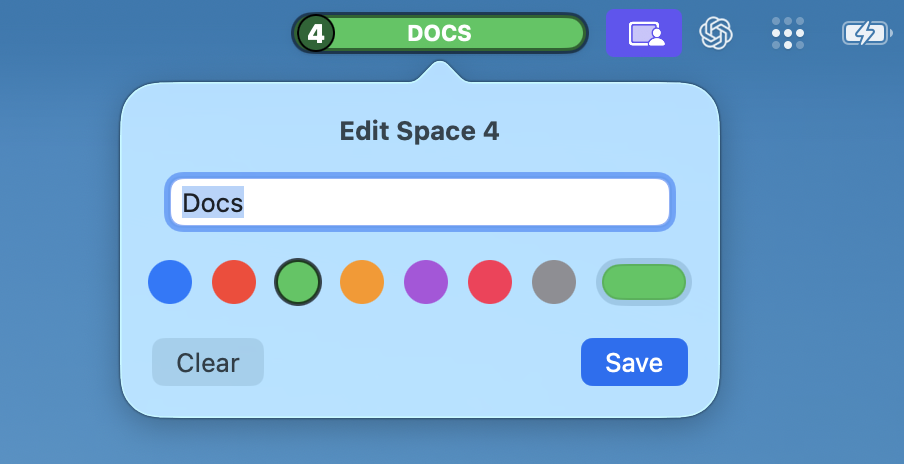
Quick Edit opens right under the pill: type a label, pick one of eight colours, save. That's the whole ceremony. New project, new desktop, named and coloured before your coffee moves.

The Quick Edit popover under the pill: a text field reading 'Docs', a row of eight colour swatches with green selected, and Clear and Save buttons

N

Notes that live on the desktop

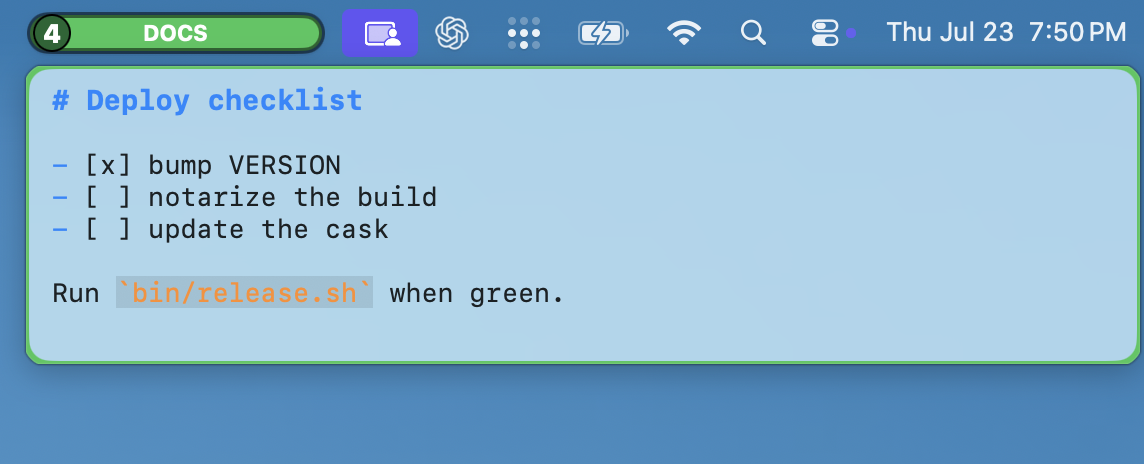
Every Space gets its own floating Markdown scratchpad that follows you as you switch — a deploy checklist on the release desktop, a prompt scratch buffer next to each agent. Plain .md files on disk, yours to grep.

The floating Space Notes panel below the menu bar, showing a Markdown deploy checklist with checked and unchecked items

For your scripts

A real CLI, not an afterthought.

SpacePill ships a spacepill command that talks to the app over a local socket — so your shell, your scripts, and your agents can read and drive your Spaces too.

  • listevery Space, with labels and colours
  • jumpswitch to a Space by name or number
  • labelrename or recolour from the shell
  • notesread or write the current Space's notes
  • doctorcheck permissions and shortcuts
  • updateupgrade to the latest signed release

Small on purpose

The whole app fits in your head.

One native Swift binary that does one job well. Nothing phones home, nothing runs in the background that you didn't ask for.

Native Swift

A single SwiftUI + AppKit app. No Electron, no runtime, no third-party dependencies at all.

No network access

The app contains no networking code. Your labels, colours, and notes are plain files in ~/.spacepill/ — and nowhere else.

Open source, MIT

Every line is on GitHub. Read it, fork it, build it yourself.

Signed & notarized

Releases are Developer ID signed and notarized by Apple — they open with no warnings. macOS 13 or later.

No background services

Just a menu bar app. No daemons, no launch agents, no helpers you have to hunt down later.

Native Spaces

Works with the Spaces you already have. No tiling takeover, no SIP flags, no rewiring your window manager.

Stop counting desktops.

Install SpacePill, name your Spaces, and never wonder where you are again.

$ curl -fsSL https://spacepill.dev/install.sh | sh

Prefer a download? Grab the DMG — signed and notarized.